 Domain SearchSecure your perfect UAE domain in seconds.
 Domain TransferSeamless domain transfer. Zero downtime, complete control.
 All TLDsSecure your ideal domain. Explore local UAE and international extensions.
 WHOIS LOOKUPCheck domain ownership, expiry dates, and registrar details instantly.
 AE DomainRegister a .AE domain and build trust in the UAE.
 SSL CertificatesProtect your site with trusted SSL Certificates to secure data and build customer confidence.
 .com DomainGet the world’s most trusted domain and build credibility from day one.
 Web hostingFind budget-friendly hosting that doesn’t compromise on performance.
 Windows HostingHigh-performance hosting for Windows applications and websites.
 Affiliate ProgramBecome a partner and earn commission for every referral.
 WordPress HostingBlazing-Fast WordPress Hosting, Optimised for Performance.
 Email HostingSecure your communications with professional email hosting. Use your domain, stay in control.
 Reseller HostingLaunch your own hosting brand. We handle the tech, you grow your business.
 cPanel HostingHosting supported by cPanel (simple and user-friendly)
 VPS HostingVirtual servers that grow with you. Full root access. Blazing fast performance.
 Managed VPS HostingNot a tech expert? Let us handle everything with our fully managed VPS hosting.
 Dedicated ServersEnjoy full access and total control over your dedicated physical server.
 AI Website BuilderBuild beautiful websites instantly with AI.
 Online ShopCreate a professional online store. No coding needed.
 Web Design ServicesGet a custom website built for your brand and your goals.
 BlogDiscover resources on web hosting, e-commerce, digital marketing, and beyond.
 Contact UsWe are available 24/7 via chat or email
 SupportExplore guides and answers for all our services
Most UAE websites have Google Analytics (GA4) installed. Most of them are also collecting unreliable data, and the owners have no idea.
A website without working analytics is like a shop with no sales reports. You are open for business, but you cannot tell who came in, what they looked at, or why they left.
Let’s solve this problem today. Follow these steps:
What You Need Before You Start
To properly configure GA4 for your website, you will need to prepare a few things.
I) A Google Account Connected to Your Business
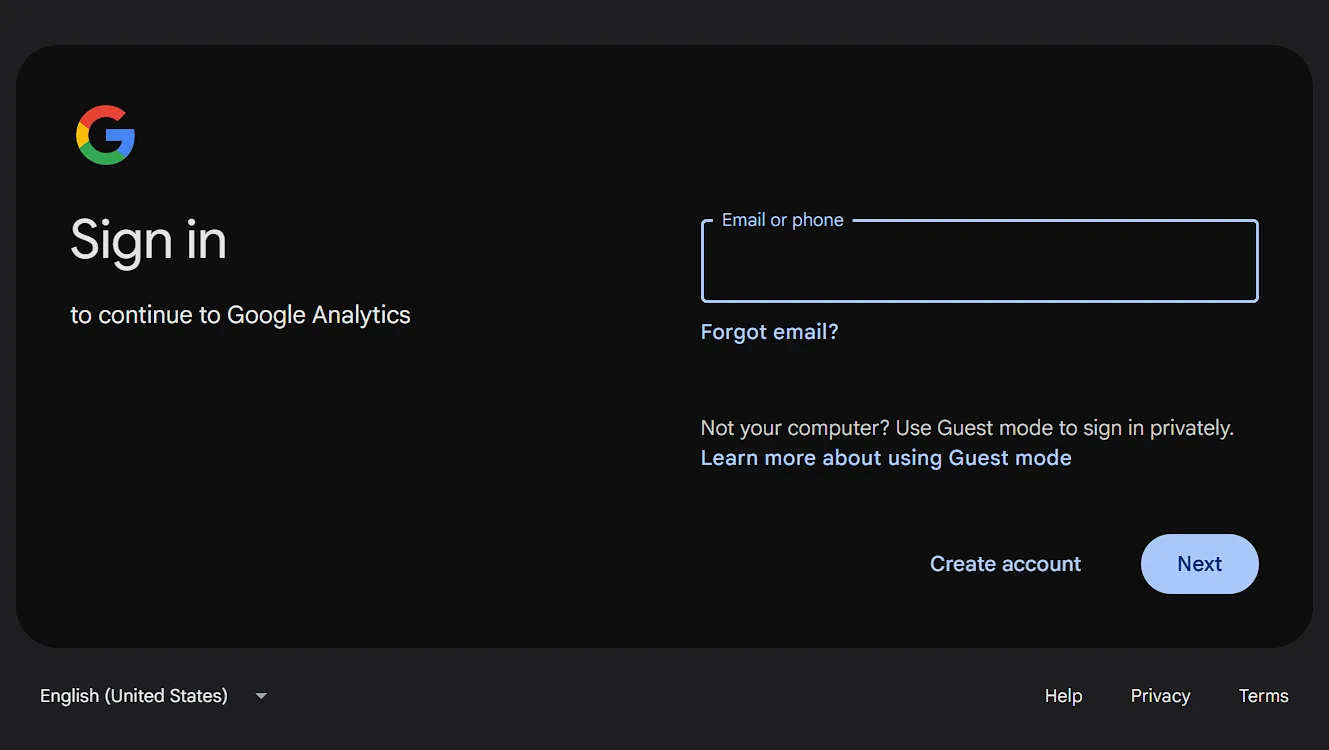
Use a Google account tied to your business domain, not a personal Gmail account. This keeps your Analytics property separate from personal data.
Google Workspace is the preferred choice for UAE companies. It gives you better control over your data and team access permissions.
II) Access to Your Website Backend or CMS
You need either direct HTML access or a tag manager plugin installed on your site. Without one of these, you cannot place the tracking code.
The most common website platforms used by UAE businesses include WordPress, Shopify, Wix, Squarespace, and custom-coded sites. Each has its own method for adding GA4.
III) Admin or Editor Permissions on Your Site
GA4 requires placing a code snippet or using Google Tag Manager on your website. You need the right level of access to do either one.
If you work with a web agency, request admin access before you start.
Without it, you will be waiting for someone else to make every small change.
Confirm that you can edit the head section of your website. Without this access, the standard GA4 installation method will not work.
Step 1: Create a Google Analytics 4 (GA4) Account
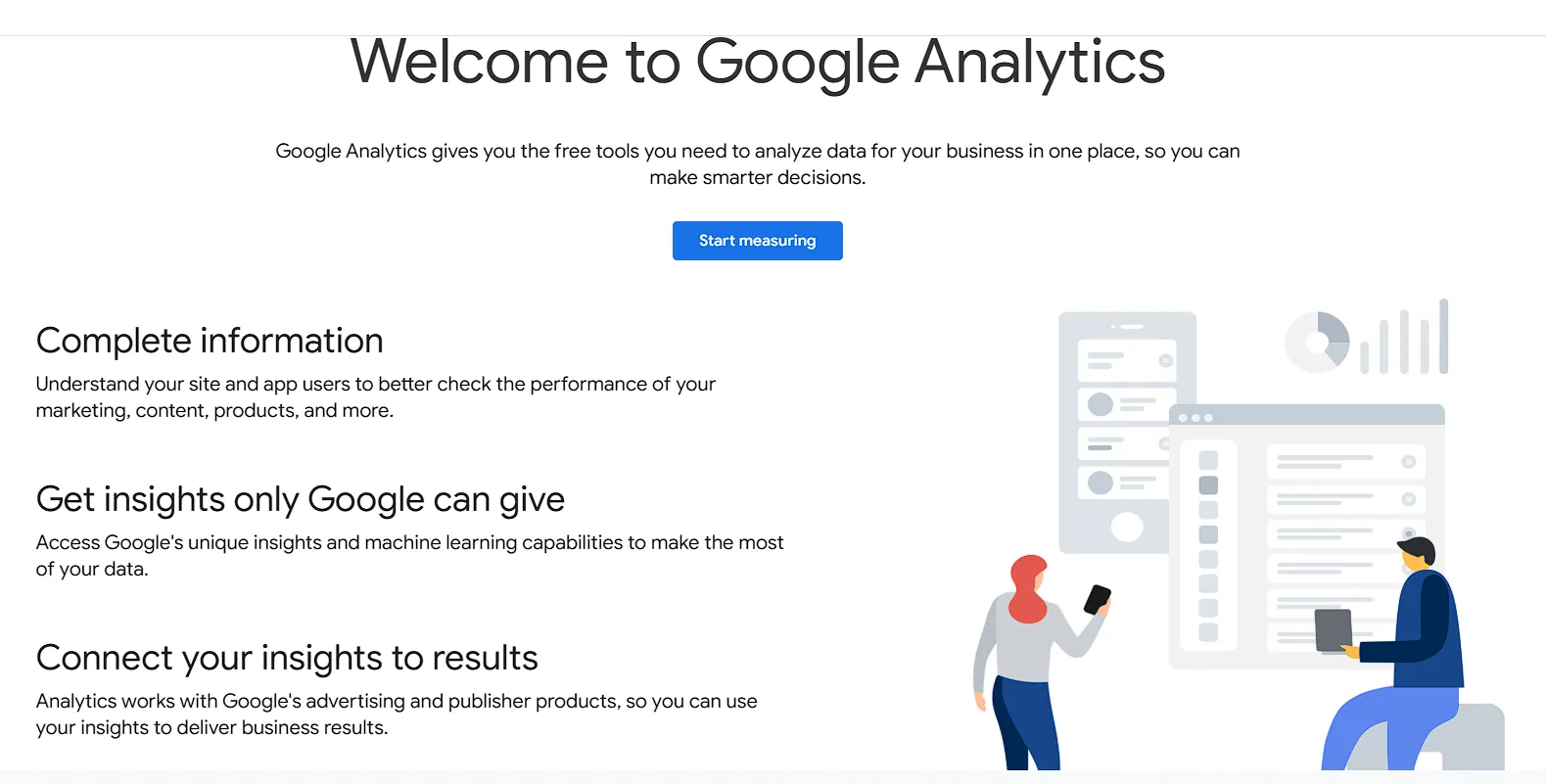
Go to analytics.google.com, sign in, and click ‘Start measuring.’ The setup wizard will guide you through a few quick configuration steps.
Walk through the account name, property name, and industry category fields.
Each field plays a role in how your reports are organized later. Take time to fill them in accurately from the start.
Choosing the Right UAE-Specific Settings
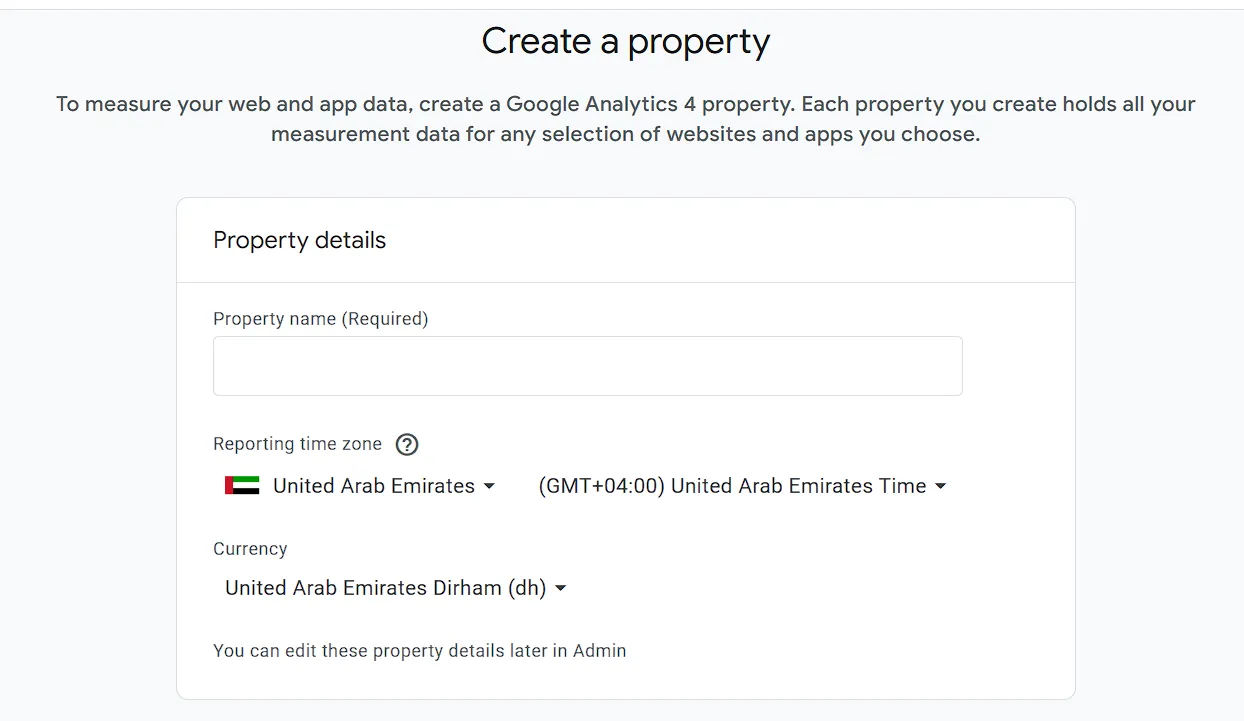
Select ‘Asia/Dubai (UTC+4)’ as your reporting timezone. This setting is critical for accurate daily session reporting.
If you leave it set to the US default, your data will be reset at the wrong time, skewing your reports.
For currency, select ‘United Arab Emirates Dirham (AED).’ This affects how revenue data appears in your e-commerce reports.
Setting it correctly from day one saves you from messy data corrections later.
Selecting Your Business Objectives
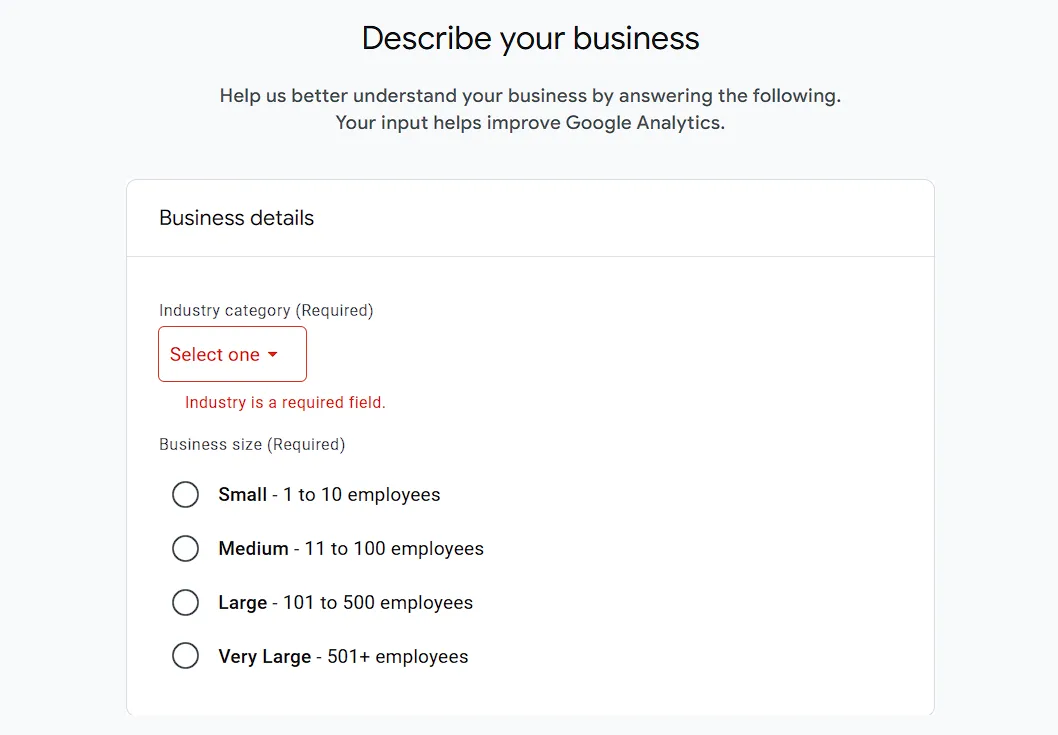
GA4 asks you to select business goals during setup, such as leads, sales, or brand awareness.
Choose based on your actual business model, not what sounds impressive.
These selections affect which default reports appear in your GA4 dashboard.
Pick the objectives that match what you actually plan to measure and improve.
Step 2: Set Up a Data Stream for Your Website
A data stream is the active connection between your website and GA4.
Every visit, click, and scroll on your site flows through this stream into your reports.
Each website needs its own separate stream. Do not mix multiple domains in a single stream, as this will blend your data together.
UAE businesses with both Arabic and English versions of their site may need separate streams.
Creating a Web Data Stream
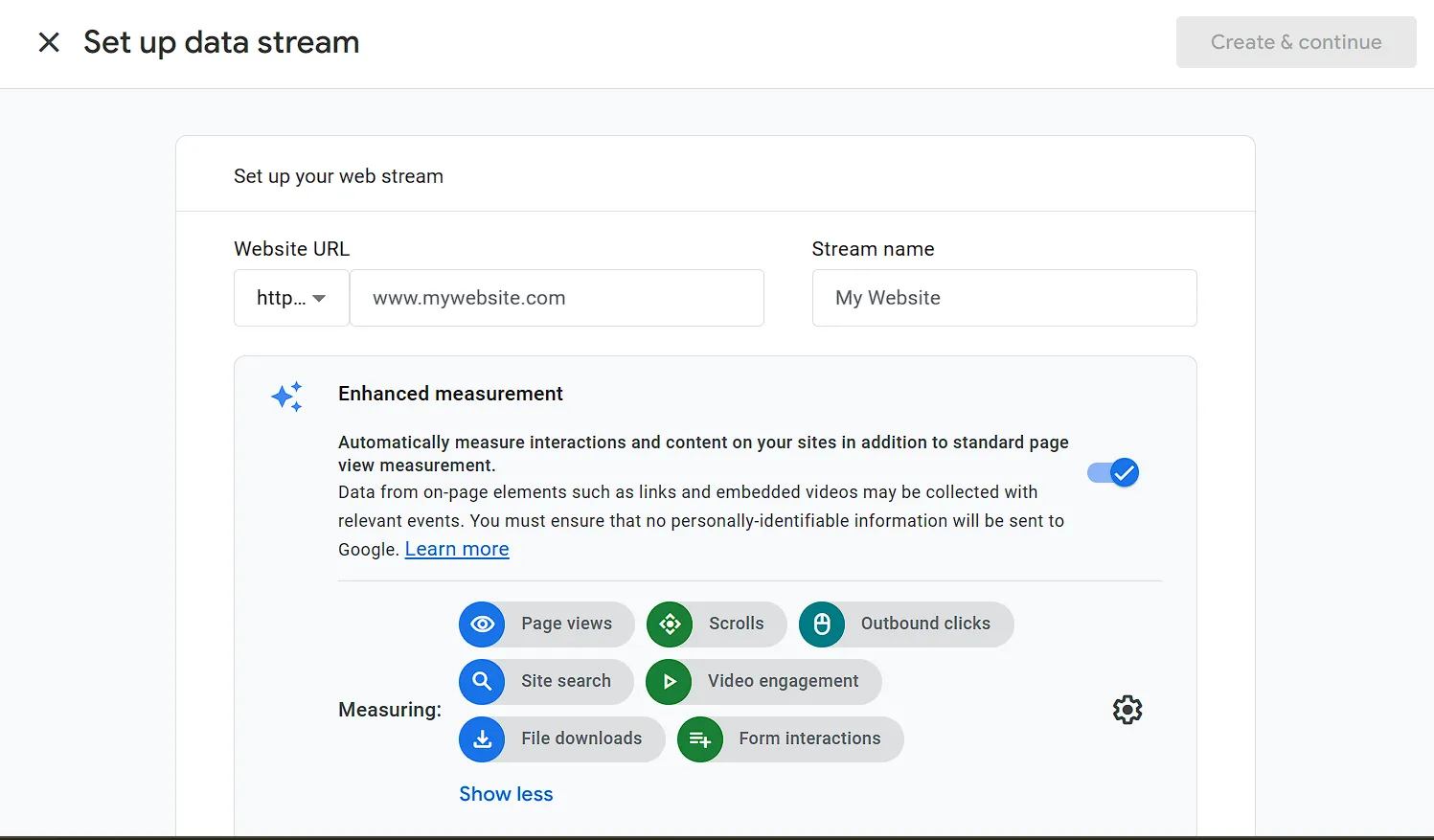
Select ‘Web’ as your stream type and enter your full website URL. Make sure the URL matches exactly what visitors see in their browser address bar.
Enable ‘Enhanced Measurement’ during this step. This feature automatically tracks scrolls, clicks, file downloads, and video views. Most CMS platforms require no extra code.
Copying Your Measurement ID and Google Tag
Your Measurement ID starts with ‘G-‘ followed by a string of characters. Save this ID carefully, since you will need it in the next step.
There is a difference between the Measurement ID and the full Google Tag code block (gtag.js).
The Measurement ID is the shorter string used by most plugin-based setups. The full tag is used for manual code installations.
Step 3: Add Google Analytics to Your UAE Website
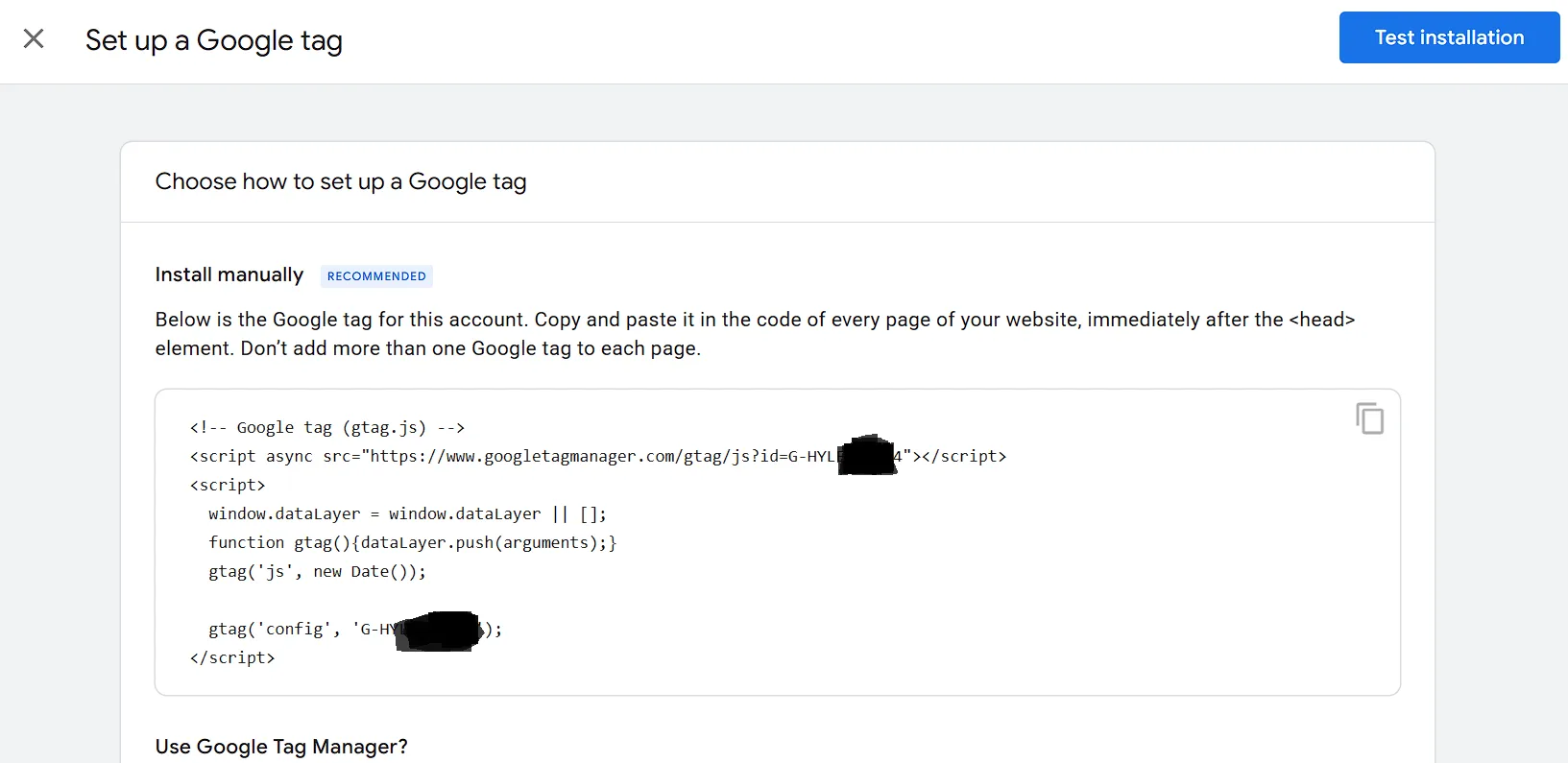
Depending on your technical expertise and permission levels, there are two approaches to adding the GA4 tag to your website: either directly or via GTM.
Option A: Add the GA4 Tag Directly to Your Website Code
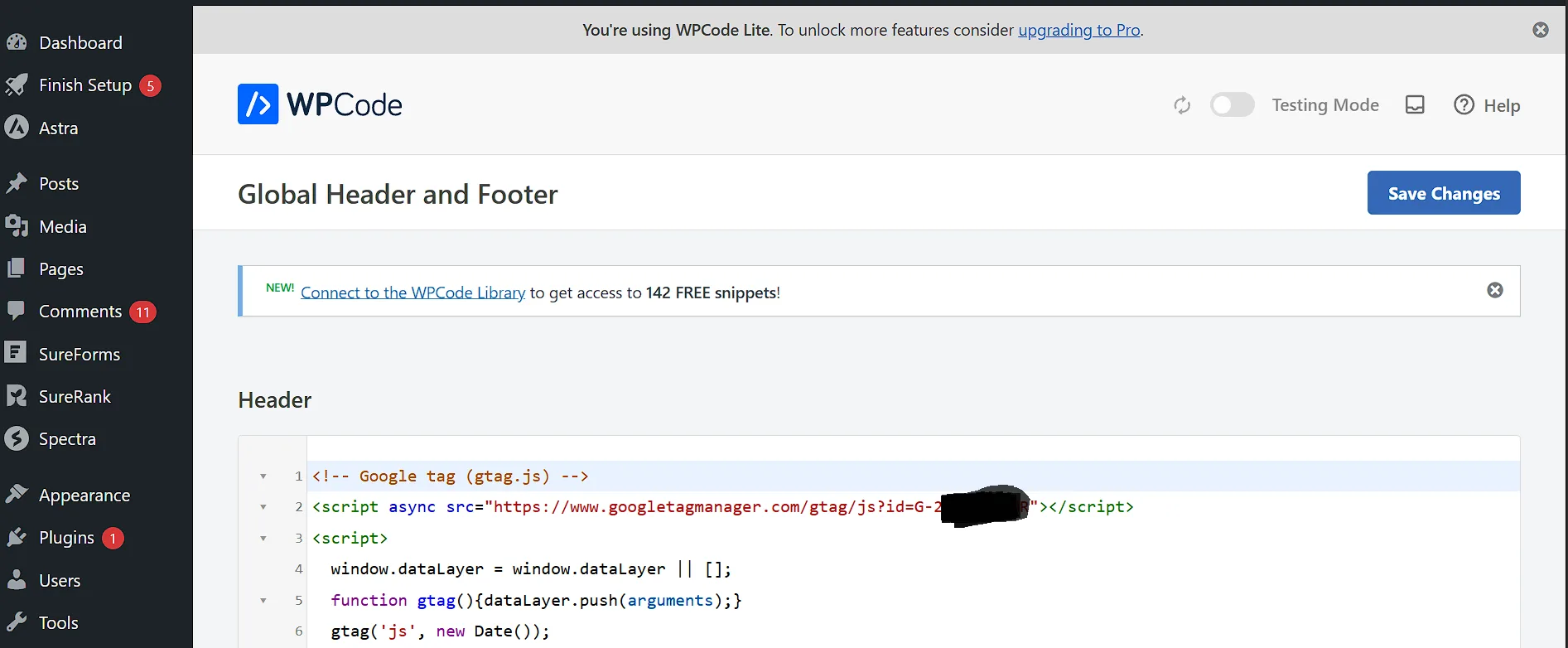
Paste the Google Tag (gtag.js) inside the head section of every page on your site.
This placement makes sure the tag loads before the rest of the page content.
For WordPress users, use the ‘Insert Headers and Footers’ plugin. You can also edit the header.php file directly if you are comfortable with code.
Avoid placing the tag in the footer, as it may miss exits on fast-loading pages.
Option B: Use Google Tag Manager
Google Tag Manager lets you manage all your tracking tags without having to touch your site code repeatedly. This is the preferred method for most UAE businesses.
Start by creating a GTM account, then add the container snippet to your site. After that, fire your GA4 tag from within GTM.
This method works better for UAE sites that need multiple tracking tags, such as Meta Pixel or LinkedIn Insight Tag.
Adding GA4 to Popular UAE Website Platforms
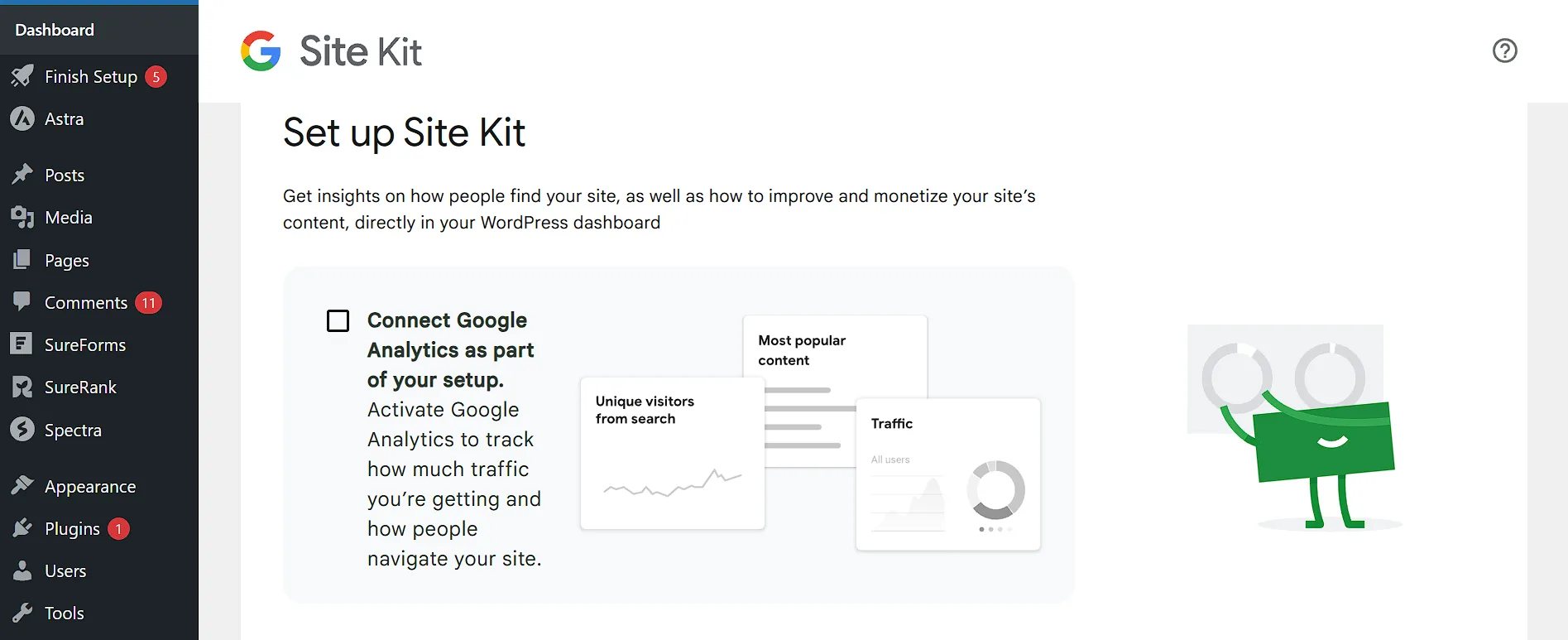
For WordPress, use the ‘Site Kit by Google’ plugin or a GTM plugin. Both options work well and do not require coding skills.
In Shopify, add your Measurement ID under Online Store> Preferences> Google Analytics.
For Wix, use the built-in Marketing Integrations panel found under Settings.
For custom-coded sites, paste the gtag.js snippet manually in the HTML head tag. Ask your developer to handle this if you are not comfortable with HTML.
Step 4: Configure GA4 for Arabic and Bilingual UAE Websites
GA4 does not detect RTL scroll direction differently from left-to-right pages. Scroll depth events still fire correctly for Arabic pages, though.
For Arabic-only sites, confirm that Enhanced Measurement scroll tracking is active in your data stream settings.
Use custom events if you want to track specific Arabic CTA button clicks as separate actions.
Setting Up Language-Based Audience Segments
In GA4, create audience segments filtered by the ‘language’ dimension. You can filter by ‘ar’ for Arabic speakers or ‘en’ for English speakers.
This helps you separate Arabic-speaking visitor behavior from English-speaking visitor behavior in your reports.
UAE businesses with bilingual sites gain significant benefits from this segmentation when making content decisions.
Handling Subdomains or Country-Specific Domains
If your Arabic site runs on a subdomain like ar.yourdomain.ae, configure cross-domain tracking in GA4. Without it, GA4 will count the same person as two separate users.
Go to Admin, then Data Streams, then Configure Tag Settings, then Configure Your Domains.
Add both domains, so GA4 treats Arabic- and English-speaking visitors as part of a single connected user journey.
Step 5: Verify Your GA4 Tracking Is Working
In GA4, go to Admin, then DebugView, to see live events firing in your browser. This tool shows you exactly what data GA4 is receiving in real time.
Install the ‘Google Analytics Debugger’ Chrome extension to trigger debug mode on your site.
Check that page_view events fire on every page you visit. If they do not fire consistently, your tag setup has a problem that needs to be fixed.
Check Real-Time Reports
Go to Reports> Real-Time in GA4, then open your website in a separate browser tab.
You should see yourself appear as an active user within about 30 seconds.
If you do not appear in the Real-Time report, the tag is either missing or firing on the wrong pages.
Try clearing your browser cache before testing again. That alone solves the problem in many cases.
Use Google Tag Assistant for Validation
Google Tag Assistant at tagassistant.google.com checks your entire site for tag errors. It flags duplicate tags, missing tags, and misconfigured data layers.
Run this check before launching any paid campaigns that point to your website. A few minutes of validation can save you weeks of collecting bad data.
Step 6: Set Up Key Goals and Conversion Events
Common conversions for UAE websites include form submissions, phone number clicks, WhatsApp button clicks, and product purchases.
Each of these tells you something different about how visitors engage with your site.
In GA4, go to Admin, then Events, and mark your key events as ‘Conversions’ using the toggle.
WhatsApp click tracking is especially relevant for UAE businesses. Most local companies rely on WhatsApp as a primary customer contact channel.
Tracking WhatsApp and Phone Call Clicks
Create a custom GTM event that fires when a user clicks your WhatsApp link (wa.me/…).
Name the event ‘whatsapp_click’ and then mark it as a conversion in GA4.
Do the same for tel: links to track phone call intent from your website. These two events alone can give you a clear picture of how customers choose to reach you directly.
Setting Up E-Commerce Tracking for UAE Payment Gateways
GA4 e-commerce tracking requires a data layer push at checkout and purchase confirmation.
For UAE payment gateways like Telr, PayTabs, or Checkout.com, you may need server-side events or developer-placed data layer code.
Make sure purchase events include transaction_id, value, and currency set to AED.
Without these three fields, your revenue data in GA4 will be incomplete or missing.
Step 7: Connect GA4 to Google Search Console and Google Ads
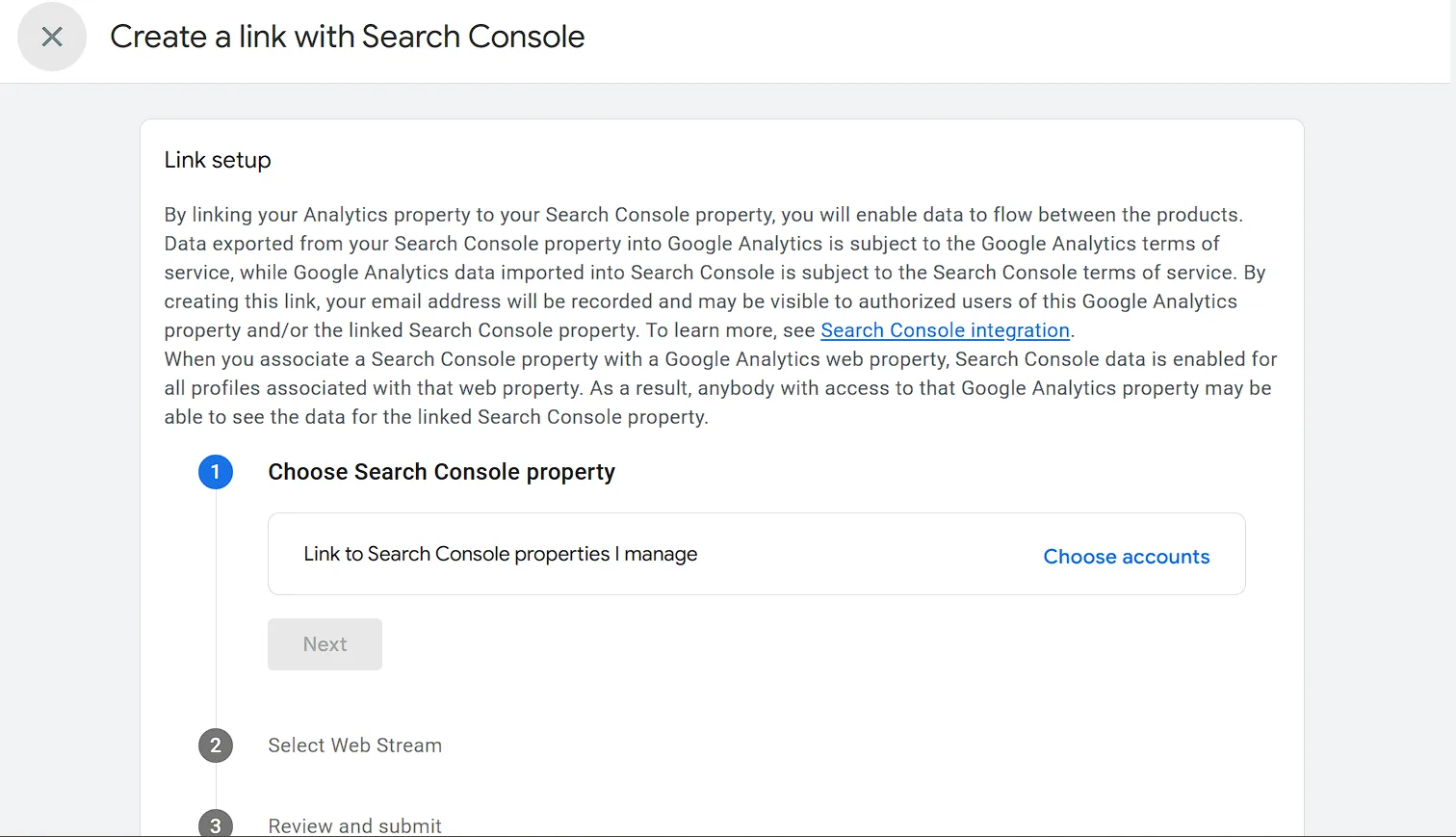
In GA4, go to Admin, then Search Console Links, and click ‘Link.’ This connection shows you which search queries are bringing traffic to your UAE site.
Confirm your Search Console property is verified for the correct domain version.
Check whether your site uses www or non-www, since Google treats these as separate properties.
Linking GA4 to Google Ads
In GA4, go to Admin> Google Ads Links, then connect your Ads account.
This lets you import GA4 conversions directly into your Google Ads campaigns.
UAE Data Privacy Considerations When Using Google Analytics
1) What the UAE PDPL Means for Analytics
The UAE Personal Data Protection Law (PDPL) came into effect in January 2022.
It requires websites collecting personal data to inform users and obtain consent where needed.
Google Analytics collects IP addresses, device data, and behavioral information.
All of this falls under the scope of the PDPL. Ignoring this can expose your business to regulatory risk.
Adding a Cookie Consent Banner for UAE Compliance
Use a consent management platform like Cookiebot, OneTrust, or CookieYes on your site. Configure it to block GA4 from firing until the user accepts cookies.
In GA4, enable ‘Consent Mode v2’ through your GTM setup. This setting enables GA4 to automatically respect user consent signals.
It also helps you maintain some level of measurement even when users decline to be tracked.
Enabling IP Anonymization in GA4
GA4 anonymizes IP addresses by default, so you do not need to manually enable this feature. Confirm it is active by checking your data stream settings under ‘Tag Settings.’
For extra compliance, set data retention limits under Admin, then Data Settings. You can choose either 2 months or 14 months, depending on your business needs and legal requirements.
Frequently Asked Questions About Google Analytics in the UAE
Does Google Analytics Work in the UAE?
Yes, GA4 works fully in the UAE. Google services are not blocked in the country, unlike in some other Middle Eastern markets.
Is Google Analytics 4 Free?
GA4 is free for standard use, with no monthly fees for most UAE businesses. You can track traffic, events, conversions, and e-commerce data without paying anything.
How Do I Track UAE Visitors Separately from Other Countries?
In GA4, go to Explore, then Free Form, and add ‘Country’ as a dimension. Filter by ‘Country exactly matches United Arab Emirates’ to isolate local traffic.
Get Started With GA4 Today
Your competitors are still guessing. You are not. You know where the tag goes, what timezone to pick, and how to track every WhatsApp click.
Open analytics.google.com right now. The setup takes less than an hour.
Just make sure your hosting can keep up. Slow servers lose visitors before GA4 even fires.
Truehost is built for UAE websites, loads fast, and keeps your data clean from the first visit.