 Domain SearchSecure your perfect UAE domain in seconds.
 Domain TransferSeamless domain transfer. Zero downtime, complete control.
 All TLDsSecure your ideal domain. Explore local UAE and international extensions.
 WHOIS LOOKUPCheck domain ownership, expiry dates, and registrar details instantly.
 AE DomainRegister a .AE domain and build trust in the UAE.
 SSL CertificatesProtect your site with trusted SSL Certificates to secure data and build customer confidence.
 .com DomainGet the world’s most trusted domain and build credibility from day one.
 Web hostingFind budget-friendly hosting that doesn’t compromise on performance.
 Windows HostingHigh-performance hosting for Windows applications and websites.
 Affiliate ProgramBecome a partner and earn commission for every referral.
 WordPress HostingBlazing-Fast WordPress Hosting, Optimised for Performance.
 Email HostingSecure your communications with professional email hosting. Use your domain, stay in control.
 Reseller HostingLaunch your own hosting brand. We handle the tech, you grow your business.
 cPanel HostingHosting supported by cPanel (simple and user-friendly)
 VPS HostingVirtual servers that grow with you. Full root access. Blazing fast performance.
 Managed VPS HostingNot a tech expert? Let us handle everything with our fully managed VPS hosting.
 Dedicated ServersEnjoy full access and total control over your dedicated physical server.
 AI Website BuilderBuild beautiful websites instantly with AI.
 Online ShopCreate a professional online store. No coding needed.
 Web Design ServicesGet a custom website built for your brand and your goals.
 BlogDiscover resources on web hosting, e-commerce, digital marketing, and beyond.
 Contact UsWe are available 24/7 via chat or email
 SupportExplore guides and answers for all our services
You want a .ae domain for your UAE website. Then you search for how to register one. Some registrar sites say you need a UAE trade license.
Others say anyone in the world can register with no documents at all. You have no idea who is right.
Both answers are correct, but for different zones. A first-level .ae domain is open to anyone worldwide, with no documents required.
Restricted zones like .co.ae require a UAE trade license and matching business documentation. Without knowing which zone applies to you, you either overprepare or get rejected.
This guide maps the full registration process in clear, practical steps. It covers every zone, every document requirement, and every cost in AED.
Whether you are registering a simple .ae or a restricted .co.ae, this guide covers your exact path.
What Is a .ae Domain and Who Controls It?

The .ae domain is the official country-code top-level domain (ccTLD) for the United Arab Emirates. It has been active since December 1, 1992, and sits under the .aeDA registry.
Two bodies share responsibility for the .ae namespace. The Telecommunications and Digital Government Regulatory Authority (TDRA) writes and enforces domain policy.
The .ae Domain Administration (.aeDA) handles the day-to-day work of registration and registrar accreditation.
.ae Domain Zones: Restricted vs Unrestricted
The .ae namespace splits into two distinct zones. Each zone carries its own rules, document requirements, and processing timelines. Picking the wrong zone is one of the most common registration mistakes.
Unrestricted Zone: .ae and .امارات
Any individual or organization, anywhere in the world, can register a first-level .ae domain.
No trade license is required for this zone. This corrects a widespread misconception that only UAE businesses can register .ae domains.
The .امارات (dotEmarat) domain is the Arabic-script equivalent of .ae. It targets Arabic-language audiences across the UAE and the broader MENA region.
Both .ae and .امارات sit in the unrestricted zone and follow the same open-access rules.
Restricted Second-Level Zones and Their Requirements
Second-level zones carry stricter eligibility requirements. Each zone corresponds to a specific type of organization.
Below is a breakdown of each restricted zone and the documents required for each.
| Zone | Eligible Applicant | Required Document |
|---|---|---|
| .co.ae | Commercial businesses | UAE trade license |
| .gov.ae | Government entities | Official ministry letter |
| .net.ae | Telecom operators | Telecommunications license |
| .org.ae | Nonprofits and associations | Nonprofit certificate |
| .sch.ae | Schools | Ministry of Education certificate |
| .ac.ae | Universities and colleges | Ministry of Higher Education license |
| .mil.ae | Military entities | Military authority approval only |
Step 1: Search and Reserve Your Domain Name
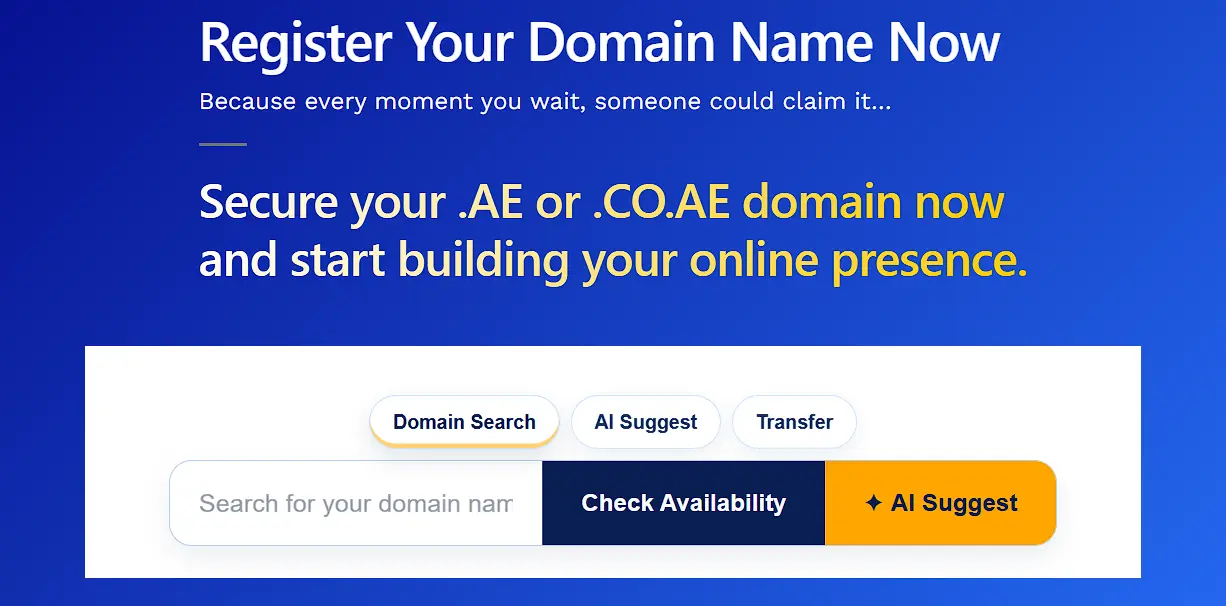
Run a live availability check through your chosen registrar’s search tool. The search shows availability for both first-level .ae and second-level zones separately.
If the name you want is already taken, check its expiry date via WHOIS. Domains close to expiry sometimes become available again after the deletion stage.
Monitoring expiring names is a legitimate way to secure a preferred domain.
Step 3: Prepare Your Documents
Your document checklist depends on your applicant type and the zone you are registering in.
Gather everything before starting the registration form. Missing documents at the form stage delay the entire process.
For anyone registering an unrestricted first-level .ae domain, no documents are required.
UAE businesses registering .co.ae:
- Valid UAE trade license
- Company contact information and registered UAE address
For foreign companies registering .co.ae:
- UAE trademark certificate, or
- UAE branch license, or
- Local sponsor letter with supporting documentation
In restricted zones, the registrar will request scans of your documents. They verify everything internally before sending your application to .aeDA for review.
Step 3: Complete the Registration Form
The registration form asks for the following information:
- Registrant’s full name
- Contact email address
- Physical address
- Preferred registration period (one to five years)
- Nameserver details (if you already have hosting arranged)
Your contact details will appear in the public WHOIS record. The .aeDA requires public WHOIS disclosure for all .ae domain registrants.
If privacy is a concern, check whether your registrar offers WHOIS privacy.
Registering for multiple years has a practical benefit. A longer registration period locks in the current AED rate. It also reduces the risk of accidental expiry caused by a missed renewal reminder.
Step 4: Pay the Registration Fee
Registration fees vary by registrar. Standard .ae domains cost around AED 150-300 per year.
Premium domains sit above that range and are priced individually by .aeDA.
A domain qualifies as “premium” when .aeDA assigns it a higher value. Short names, common keywords, and high-traffic industry terms often carry premium pricing.
Most UAE registrars accept credit cards, UAE bank transfers, and local payment gateways. Check whether your registrar adds hidden fees to the listed price.
Step 5: Verification and Approval
After submitting your form and payment, the verification stage begins. Standard .ae domain registrations typically process within 24 to 48 hours.
Restricted zone applications take longer. The .aeDA adds a second review layer for restricted zones. That review typically adds three to five business days to the timeline.
Two outcomes are possible at this stage:
- Approval: You receive a confirmation email with your domain details. The domain is now active.
- Request for additional documents: The registrar contacts you with a list of missing or unclear items. You have a set window to resubmit before the application lapses.
Step 6: Configure DNS and Go Live
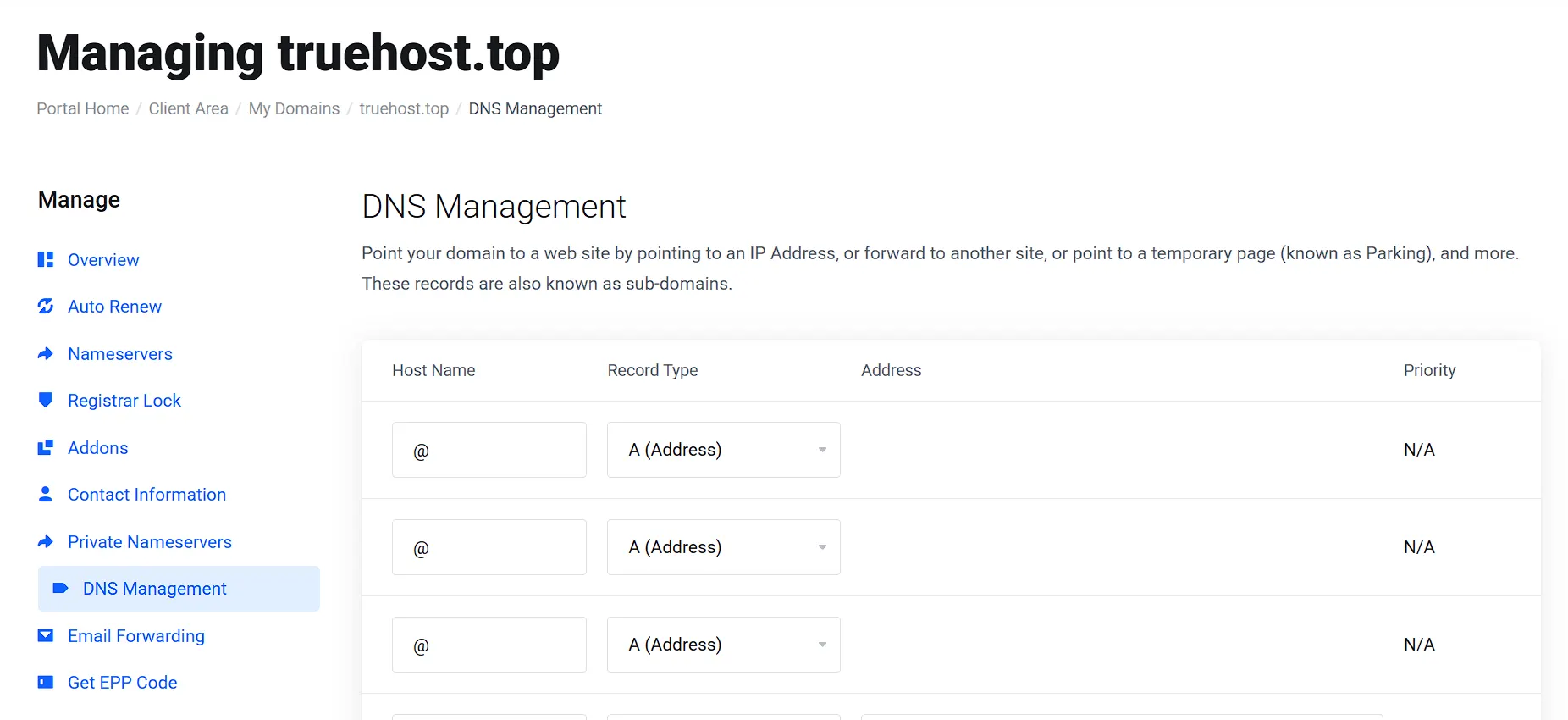
Your domain confirmation email arrives. Now the technical setup begins.
Log in to your registrar dashboard and update the nameservers. Point the nameservers to your hosting provider to connect the domain to your website.
DNS propagation takes time. Full global propagation can take up to 48 hours. Most regions resolve within four to eight hours of the nameserver update.
Complete this checklist in the first 48 hours after registration:
- Update nameservers in the registrar dashboard
- Activate your SSL certificate through your hosting provider
- Respond to the WHOIS verification email from .aeDA
- Enable domain lock to prevent unauthorized transfers
- Test the domain in a browser to confirm it resolves correctly
Common .ae Domain Registration Mistakes and How to Fix Them
Five mistakes cause the majority of .ae domain rejections and delays. Here is what they are and how to fix each one.
Mistake 1: Document Category Mismatch
Your trade license category must match the zone you are applying for. A Dubai-based fintech startup once faced a verification delay for exactly this reason. Their trade license category did not explicitly mention digital services.
The fix: get the license amended before submitting the application.
Mistake 2: Using an Expired Trade License
An expired license fails the .aeDA verification check immediately. Renew your trade license before starting the domain registration process.
Mistake 3: Missing UAE Address on the Registration Form
The registration form requires a physical address in the UAE. A PO box alone does not satisfy this requirement for some zones. Use a registered office address tied directly to your trade license.
Mistake 4: Applying Through a Non-Accredited Registrar
A non-accredited registrar cannot submit your application to .aeDA. Always verify accreditation status on the TDRA registrar directory before paying.
Mistake 5: Zone and Business Type Mismatch
Registering a .gov.ae domain as a private company is not possible. Each second-level zone has specific eligibility criteria set by .aeDA. Check the zone requirements before you start — not after a rejection arrives.
Frequently Asked Questions
Can anyone register a .ae domain?
Anyone can register a first-level .ae domain, regardless of nationality or location. Second-level zones such as .co.ae and .gov.ae have specific eligibility requirements.
What documents do I need to register a .ae domain in the UAE?
For a first-level .ae domain, no documents are required. Anyone worldwide can register without submitting any identity or business paperwork. For .co.ae, you need a valid UAE trade license with a matching business activity.
How long does .ae domain registration take?
Standard .ae domains typically process in 24 to 48 hours. Restricted zones take three to five business days for .aeDA review.
What is the difference between .ae and .co.ae?
The .ae zone is open to any registrant globally with no special documentation required. The .co.ae zone is restricted to commercial businesses holding a valid UAE trade license.
How much does a .ae domain cost per year in AED?
Standard .ae domains cost between AED 120 and AED 300 per year. Premium domains are priced individually by .aeDA and sit above the standard range.
Register Your .ae Domain With Truehost UAE Today.
Registering an unrestricted .ae domain is easy, and you do not need any additional documents to complete the process.
A .ae domain sends a clear geo-relevance signal to Google’s UAE search results. For businesses targeting UAE customers, the .ae extension gives a measurable search advantage.
Head over to Truehost and register your .ae domain today.